Final steps to complete XDR enrolment
There are two steps to complete for a fully working XDR product, these are:
- Activate Defender XDR connector
- Activate UEBA
Both these actions can be performed inside the Azure Portal (portal.azure.com).
Activate Defender XDR connector
- Open portal.azure.com and navigate to the Microsoft Sentinel product
- Click on Data Connectors in the menu
- Select the Microsoft Defender XDR connector if this has a grey bar
- If it’s green already the connector is already activated
- Click in the following screen on Connect incidents & alerts
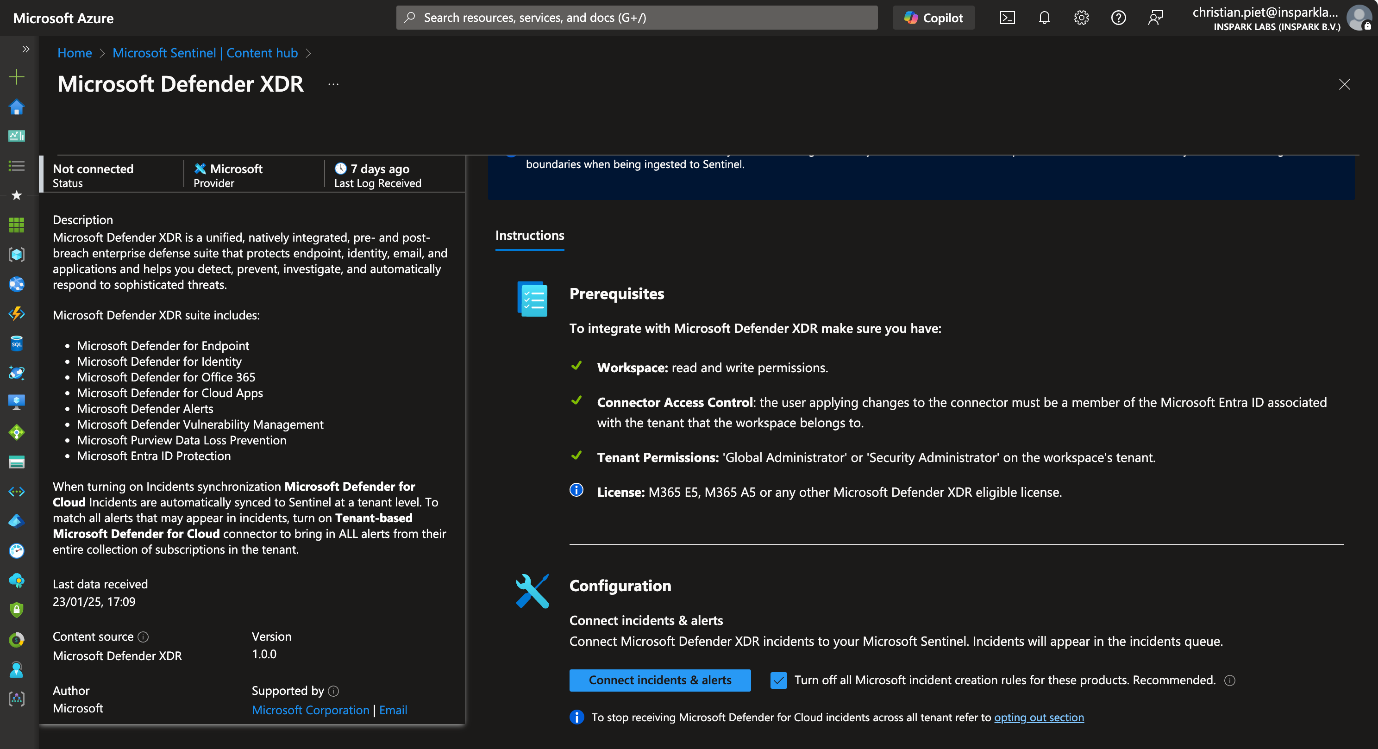
- The next message should show in the right top corner:

- This step is finished, proceed to the next one.
Activate UEBA
- Open portal.azure.com and navigate to the Microsoft Sentinel product
- Click on Entity Behaviour (under Threat Management)
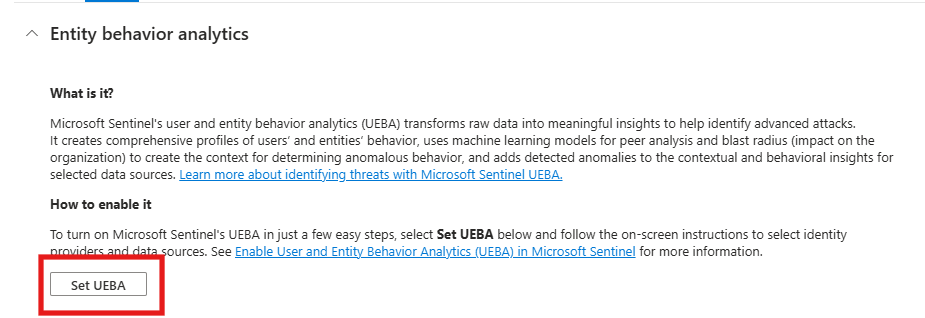
- Click on Set UEBA (if it shows), if not click on Entity behaviour settings
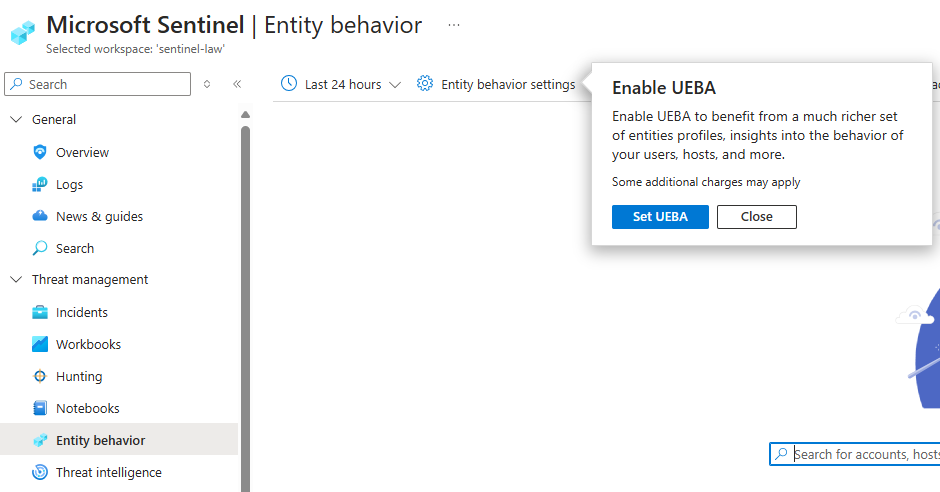
- Again select Set UEBA
- Enable UEBA and check Microsoft Entra ID, then click Apply
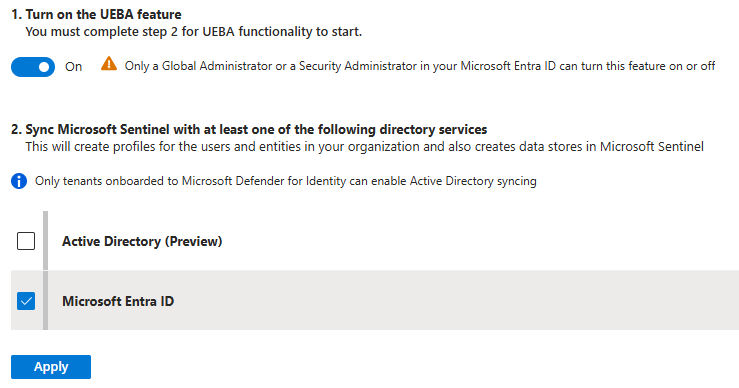
- This final step is finished.